track business expenses easily
Track business expenses easily with LibroKeeper
A plain-English guide to expense tracking for small business owners, freelancers, and self-employed professionals. Learn a simple workflow and how LibroKeeper keeps receipts, mileage, and expenses organized.
By LibroKeeper Editorial Team · Published May 19, 2026 · Updated May 19, 2026
Practical guidance from the team building LibroKeeper for business owners and bookkeeping professionals.
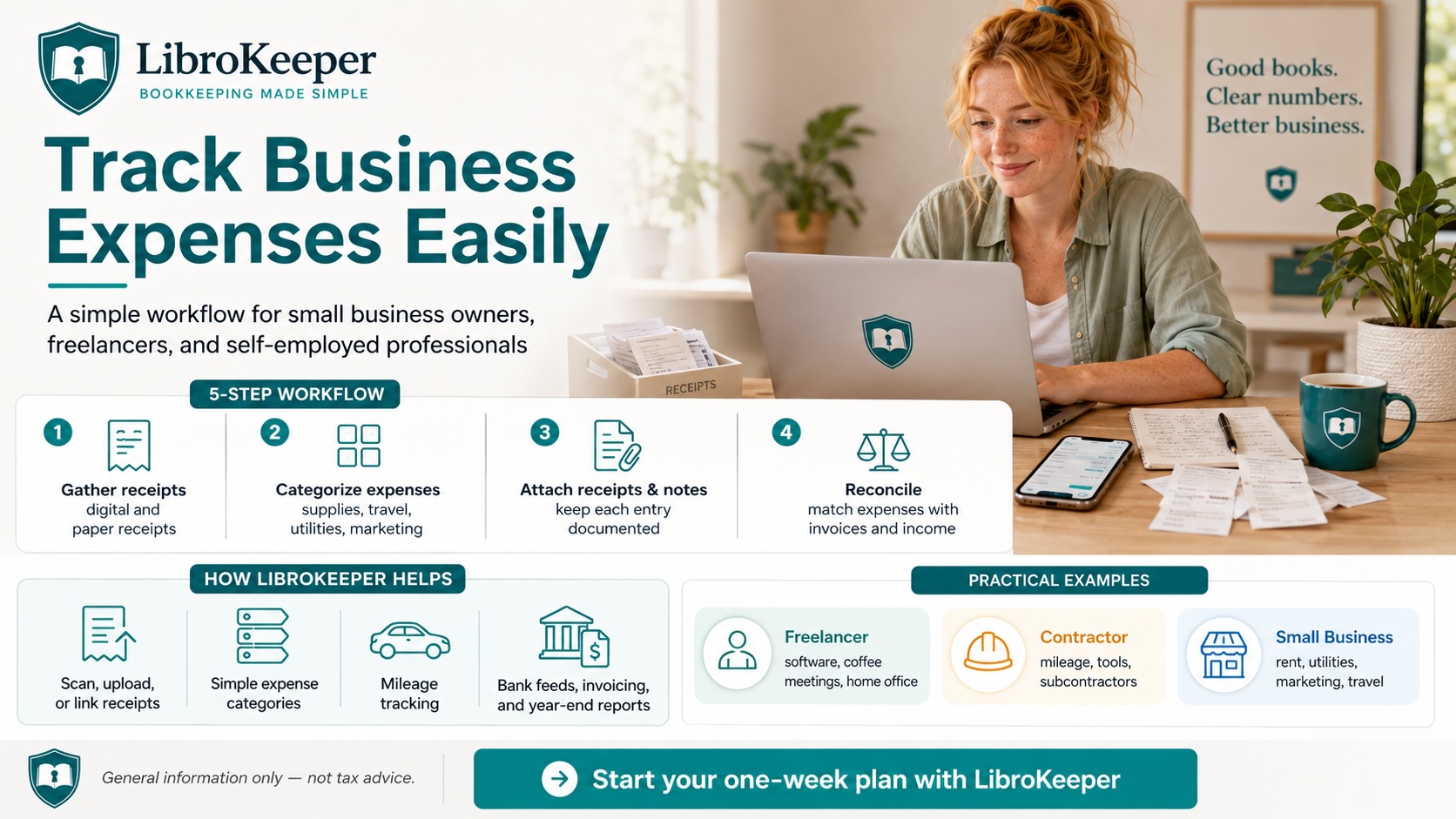
Track business expenses easily is within reach with a simple workflow and a practical toolkit. This guide walks small business owners, freelancers, and self-employed professionals through a plain-English process to keep receipts, mileage, and expenses organized—and shows how LibroKeeper fits naturally into that routine.
Introduction
The goal here is to make expense tracking simple and sustainable. You’ll learn a straightforward method to capture, categorize, and reconcile expenses so tax prep stays smoother, decisions stay informed, and year-end records stay clean. We’ll refer to the focus keyword—track business expenses easily—as the core aim of this approach, and show how LibroKeeper supports the effort with receipts, mileage, and expense organization.
Why expense tracking matters
- Keeps tax prep smoother and less stressful
- Improves cash flow decisions
- Reduces year-end scrambling with cleaner records
- Example: a week of common expenses (coffee, software, meals, fuel)
Getting started: a plain-English workflow
1) Gather receipts (digital and paper) and note date, amount, category
2) Categorize expenses (supplies, travel, utilities, marketing, etc.)
3) Attach receipts and notes to each expense entry
4) Reconcile with invoices and income
5) Review weekly to catch missing receipts and inaccurate entries
Practical tip: set a weekly 15-minute reset instead of big monthly tasks.
How LibroKeeper supports easy tracking
- Capture options: scan, upload, or link receipts
- Simple categorization and customizable expense categories
- Mileage tracking and auto-calc of deductible miles (with a disclaimer about tax specifics)
- Connection to bank feeds and invoicing to avoid double entry
- Clean year-end records and ready-to-file reports
Practical examples and scenarios
- Freelancer example: tracking software, coffee meetings, and home office supplies
- Contractor example: mileage, tool purchases, and subcontractor payments
- Small business example: utilities, rent, marketing, and travel for a client site
- How to correct a common mistake (duplicate receipt, missing category)
Best practices for staying on track
- Consistency over perfection: quick daily entries
- Use reminders and templates
- Regularly review and adjust categories to fit your business
- Protect sensitive data and back up records
Tax considerations (general guidance)
This section covers general tax-related concepts. It is not tax advice. Keep clear records of income and deductible expenses, and consult a tax pro for advice on your specific situation.
Getting started with LibroKeeper
- Quick setup steps tailored for your industry
- How to import past data and start fresh
- Tips for ongoing use and avoiding common pitfalls
Call to action
Ready to simplify your bookkeeping? Try a free trial or demo of LibroKeeper. Start with a one-week plan to begin tracking expenses, and use our starter checklist to get going. If you need help, contact support anytime.
Wrap-up
Tracking expenses easily is achievable with a simple workflow and the right tools. By following the steps above and using LibroKeeper, you can keep receipts, mileage, and expenses organized for cleaner year-end records and smarter business decisions.
> Quick starter links: > - Learn more about [small business bookkeeping](/small-business-bookkeeping). > - Prefer a hands-on setup? Try [Start Self-Managed](/self-managed/signup). > - Visit the [LibroKeeper homepage](/) for a product overview and features.